 River
built on Freenet
River
built on FreenetGroup chat nobody owns.
River feels familiar, like Signal or WhatsApp. But it runs on Freenet, a global network nobody controls, with no River backend behind it.
No account. No phone number. No one in the middle. Just you.
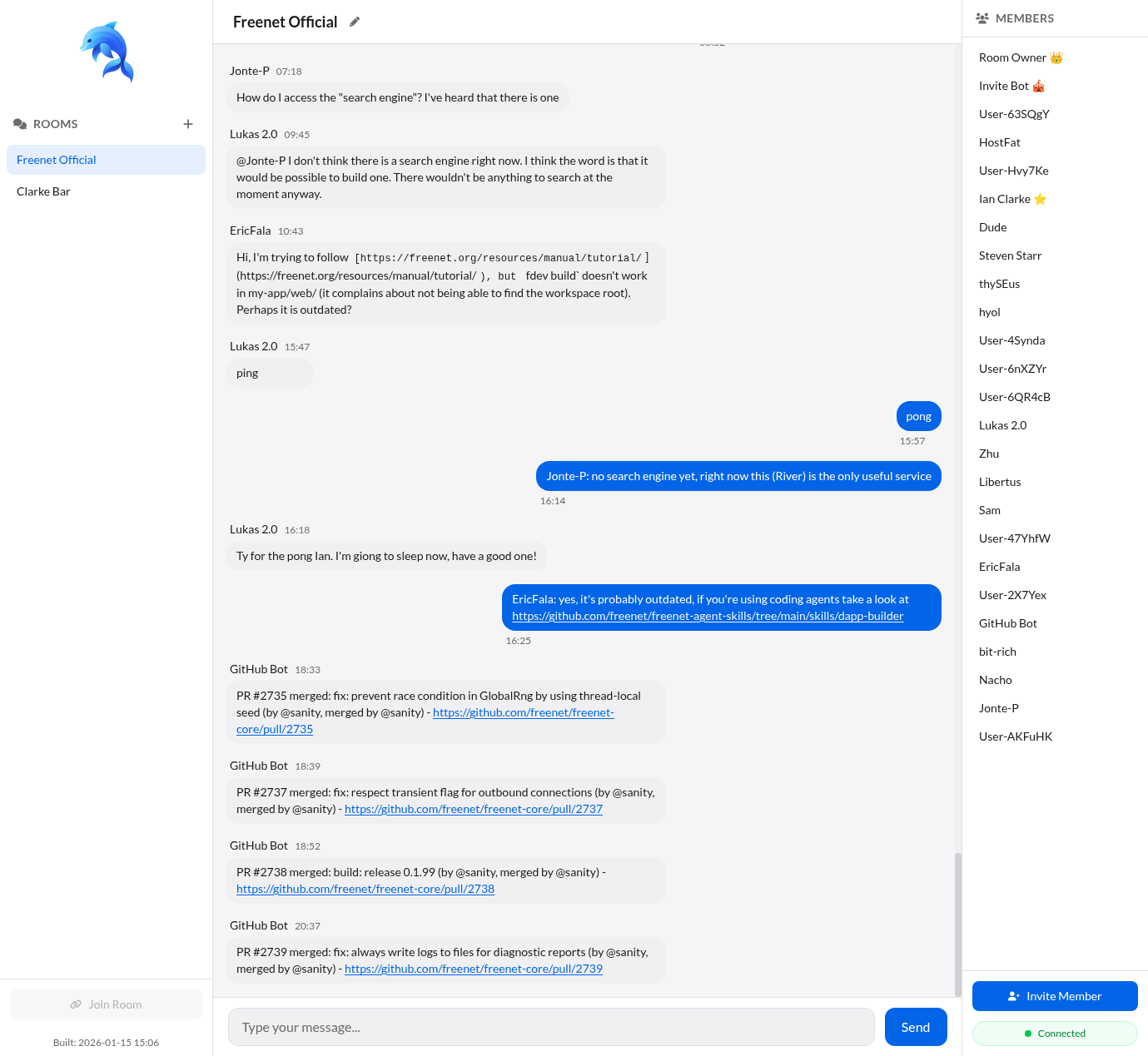
Open the live official room in your browser and see it working. The demo runs on a peer we host; install Freenet when you want your own.
Freenet installs on Windows, macOS, and Linux. No mobile app yet.
- No signup
- Free and open source
How it works
Wait, no servers?
Most chat apps send your messages to servers a company runs. River sends them to Freenet, a network made of its users' own computers. There is no River backend: each room lives on the network itself, so it keeps working when the person who made it goes offline, and no company runs a River server to shut down, snoop on, or bill.
Chat that no one owns
The things that make River different are the things it leaves out.
No backend
Every room lives on Freenet, hosted by the network's own peers. River has no backend for anyone to run, pay for, or take down.
No account
No sign-up, no phone number, no email. Your identity is a key on your device, not a row in someone's database.
Encrypted rooms
Private rooms are end-to-end encrypted, and every message is signed, so any peer can host a room without being able to forge or read it.
Stays up without you
Your room doesn't go offline when you do: while other members use it, their peers keep it available. As demand for a room grows, more peers host it, so more demand adds capacity rather than a bigger hosting bill.
Getting in
You install Freenet, not River
River isn't a separate app to download. You install Freenet once, and any number of apps, River included, run on top of it and open right in your browser.
- 1
Install Freenet
A small background app runs a Freenet peer on your machine. River and every other Freenet app run on top of it.
- 2
Click an invite
Grab a free invite to the official room, no friend needed, or use one a friend sent you. Rooms are invite-only, so you always know who let someone in.
- 3
You're in the room
River opens in your browser. Create your own rooms and share their invite links the same way.
Why not Signal, WhatsApp, or Matrix?
Everyone else runs on servers someone controls
Any single operator can be pressured, subpoenaed, breached, or decide to cut you off. It doesn't take bad intent, just one point everyone has to trust. River has none.
Features
The essentials
riverctl drives rooms from a script, bots and agents included.Privacy by design
No middleman to leak
Privacy in River isn't a mode you switch on. It's what's left when you remove the company, the account, and the server.
Private rooms hide content, not shape: peers can still see that a room exists and roughly how active it is. If your threat model needs to hide that too, River alone isn't enough yet.
Straight talk
Where River is today
River and Freenet are alpha. Here's what works now and what to expect, so nothing surprises you after you install.
Works today
- Join the live official room
- Create your own rooms
- Public rooms, and end-to-end encrypted private rooms
- One-click invite links
- Command-line client (
riverctl)
Still alpha
- Installing Freenet needs a desktop (Windows, macOS, Linux); no mobile app yet
- The in-browser demo runs on a peer we host, so it is centralized; install Freenet to run your own
- Your Freenet peer sends diagnostic telemetry (peer activity, general system info) to help debug the network
- Metadata isn't hidden: whether a room exists, its size, and message timing are observable
- Not for sensitive communications yet
- The network changes fast, and peers auto-update
Built by a nonprofit, not an ad company
River and Freenet are built by Freenet Project Inc, a 501(c)(3) nonprofit. No ads, no investors, no business that runs on your data. Just open-source software that runs on a network its users own.
The developers are in the room right now
Join Freenet's developers and users in the official room. Open it in your browser, no install needed.